WordPress Creation Kit consists of three tools that can help you create and maintain custom post types, custom taxonomies and most importantly, custom fields and metaboxes for your posts, pages or CPT’s.
WCK Custom Fields Creator offers an UI for setting up custom meta boxes with custom fields for your posts, pages or custom post types. Uses standard custom fields to store data. You can show custom fields using code or with the Swift Templates module.
WCK Custom Post Type Creator facilitates creating custom post types by providing an UI for most of the arguments of register_post_type() function.
WCK Taxonomy Creator allows you to easily create and edit custom taxonomies for WordPress without any programming knowledge. It provides an UI for most of the arguments of register_taxonomy() function.
Custom Fields
- Custom fields types: WYSIWYG editor, upload, text, textarea, select, checkbox, radio, number, HTML, time-picker, phone, currency select, color picker, heading
- Easy to create custom fields for any post type.
- Support for Repeater Fields and Repeater Groups of custom fields.
- Drag and Drop to sort the Repeater Fields.
- Support for all input custom fields: text, textarea, select, checkbox, radio.
- Image / File upload supported via the WordPress Media Uploader.
- Possibility to target only certain page-templates, target certain custom post types and even unique ID’s.
- All data handling is done with Ajax
- Data is saved as postmeta
Custom Post Types and Taxonomy
- Create and edit Custom Post Types from the Admin UI
- Advanced Labeling Options
- Attach built in or custom taxonomies to post types
- Create and edit Custom Taxonomy from the Admin UI
- Attach the taxonomy to built in or custom post types
WCK PRO
The WCK PRO version offers:
Website
http://www.cozmoslabs.com/wck-custom-fields-custom-post-types-plugin/
Announcement Post and Video
http://www.cozmoslabs.com/3747-wordpress-creation-kit-a-sparkling-new-custom-field-taxonomy-and-post-type-creator/
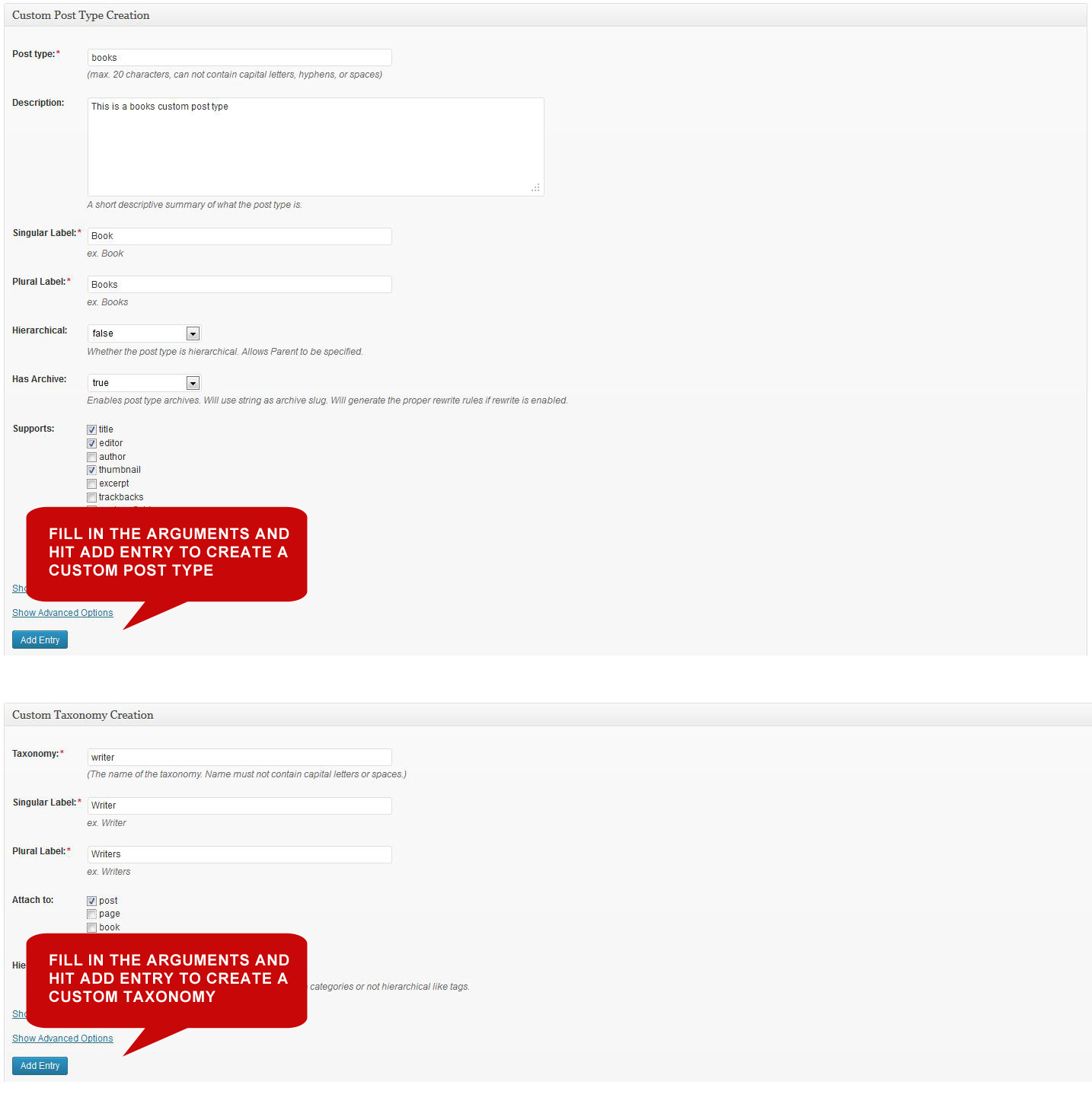
Creating custom post types and taxonomies 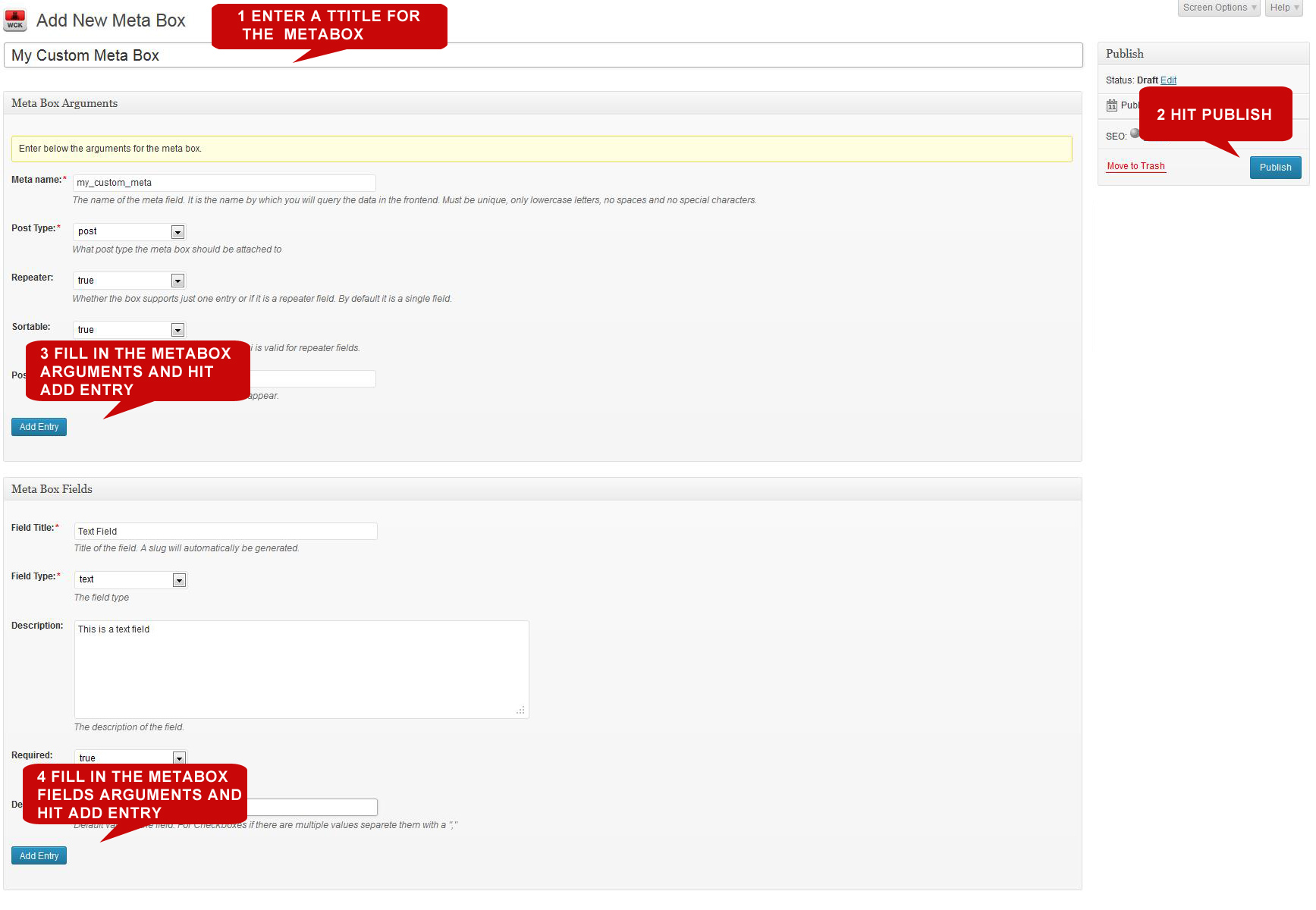
Creating custom fields and meta boxes 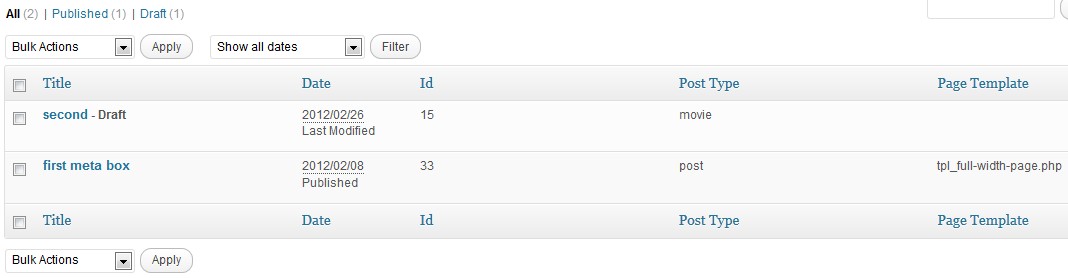
Custom Fields Creator – list of Meta boxes 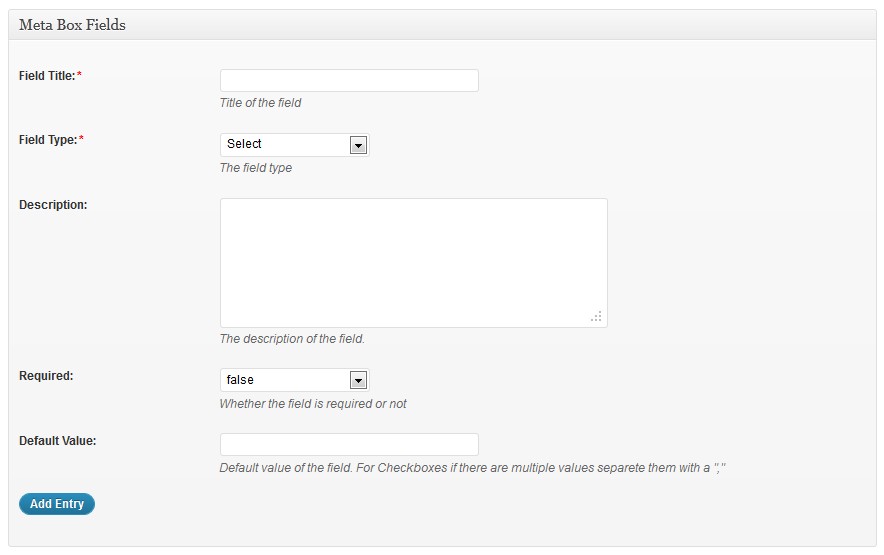
Meta box with custom fields 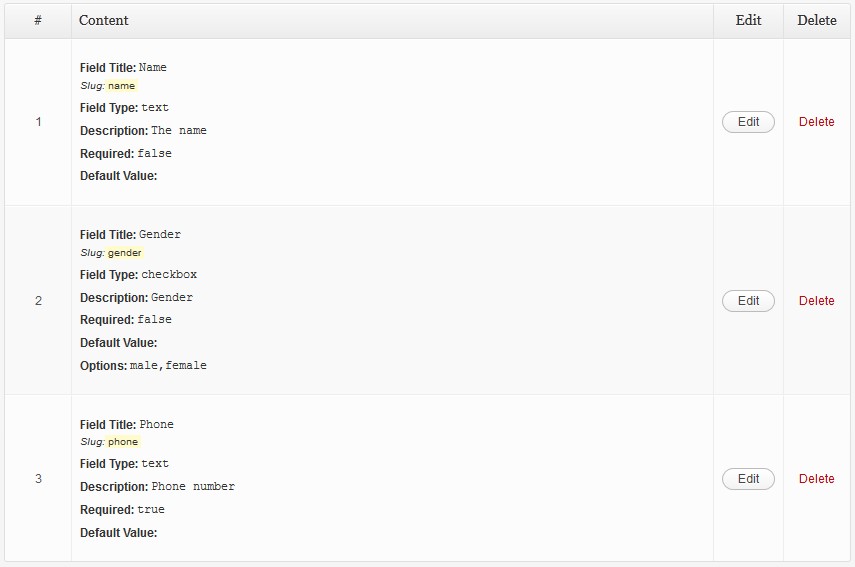
Defined custom fields 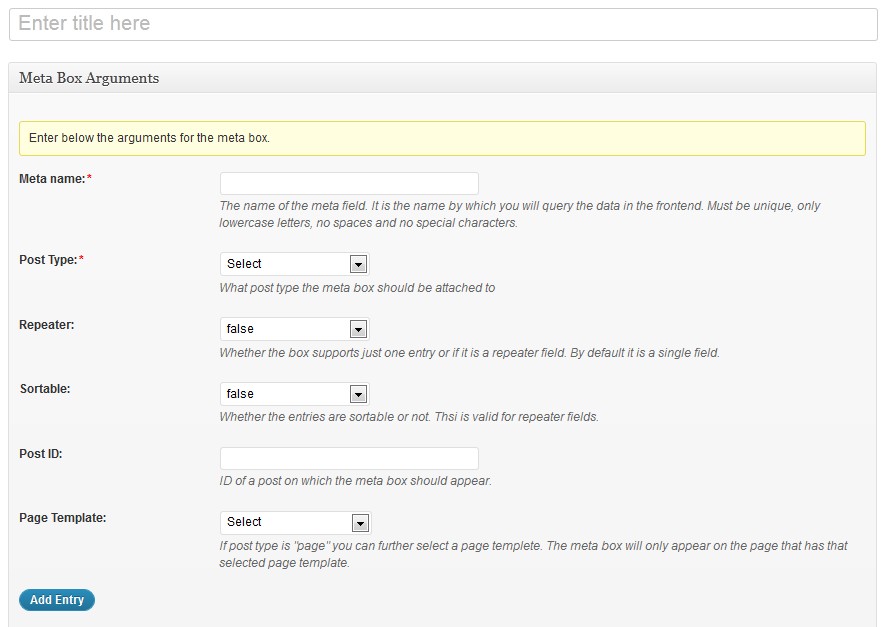
Custom Fields Creator – Meta box arguments 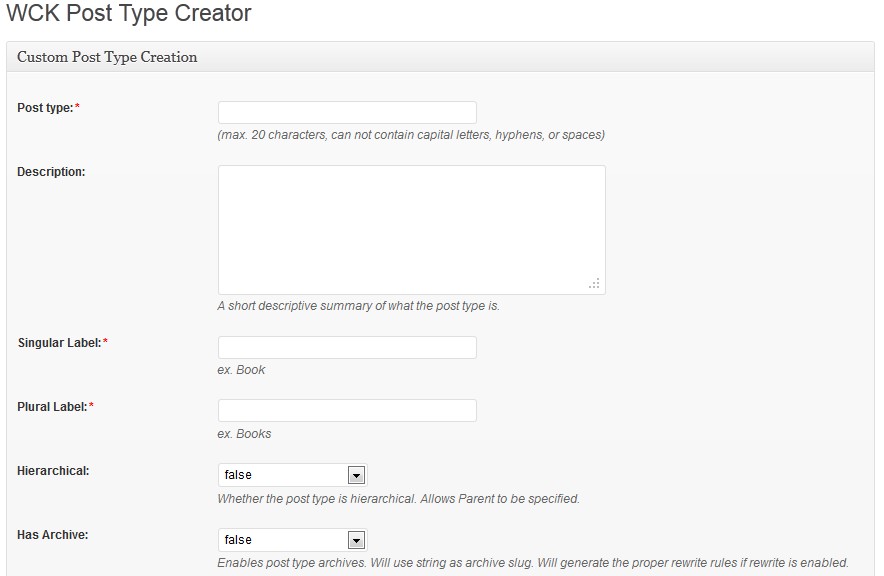
Post Type Creator UI 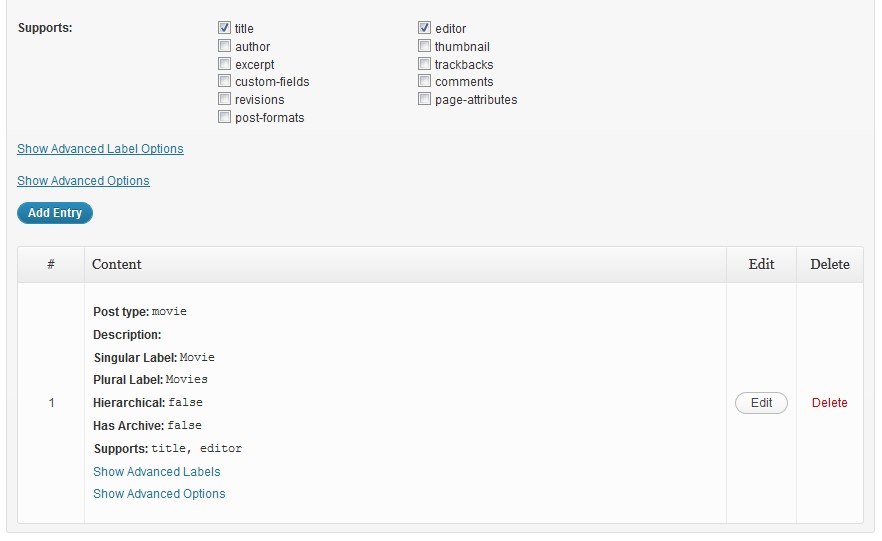
Post Type Creator UI and listing 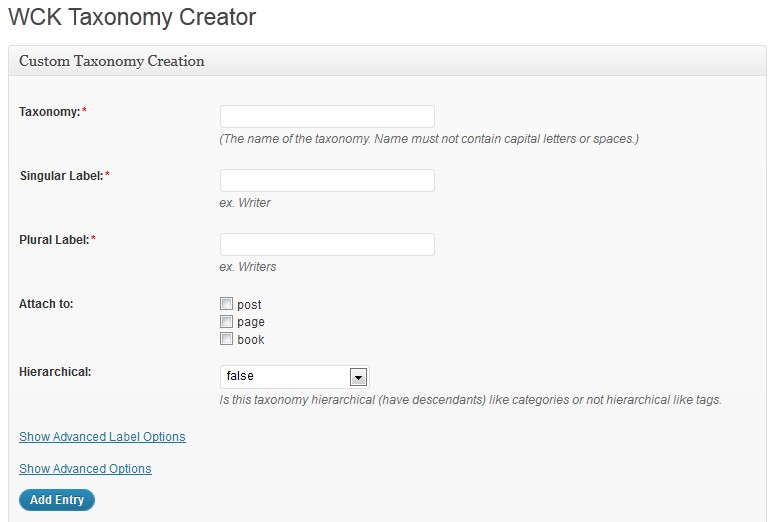
Taxonomy Creator UI 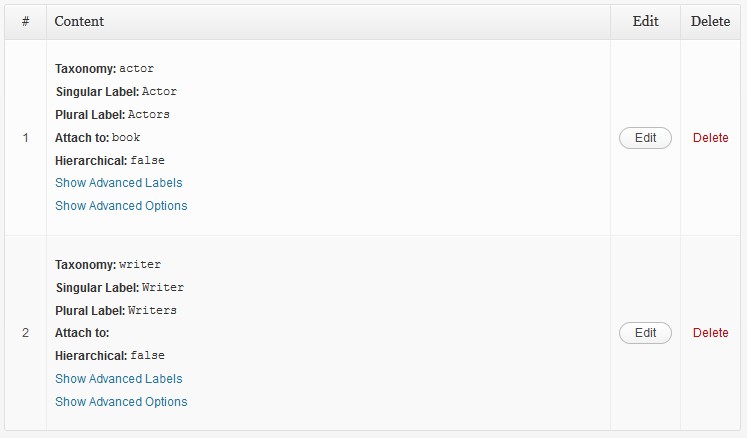
Taxonomy listing
- Upload the wordpress-creation-kit folder to the ‘/wp-content/plugins/’ directory
- Activate the plugin through the ‘Plugins’ menu in WordPress
- Then navigate to WCK => Custom Fields Creator tab and start creating your custom fields, or navigate to WCK => Post Type Creator tab and start creating your custom post types or navigate to WCK => Taxonomy Creator tab and start creating your taxonomies.
-
How do I display my custom fields in the front end?
-
Let’s consider we have a meta box with the following arguments:
– Meta name: books
– Post Type: post
And we also have two fields defined:
– A text custom field with the Field Title: Book name
– And another text custom field with the Field Title: Author nameYou will notice that slugs will automatically be created for the two text fields. For ‘Book name’ the slug will be ‘book-name’ and for ‘Author name’ the slug will be ‘author-name’
Let’s see what the code for displaying the meta box values in single.php of your theme would be:
<?php $books = get_post_meta( $post->ID, 'books', true );
foreach( $books as $book){
    echo $book['book-name'] . '<br/>';
    echo $book['author-name'] . '<br/>';
}?>
So as you can see the Meta Name ‘books’ is used as the $key parameter of the function get_post_meta() and the slugs of the text fields are used as keys for the resulting array. Basically CFC stores the entries as custom fields in a multidimensional array. In our case the array would be:
<?php array( array( "book-name" => "The Hitchhiker's Guide To The Galaxy", "author-name" => "Douglas Adams" ), array( "book-name" => "Ender's Game", "author-name" => "Orson Scott Card" ) );?>This is true even for single entries.
-
How to query by post type in the front-end?
-
You can create new queries to display posts from a specific post type. This is done via the ‘post_type’ parameter to a WP_Query.
Example:
<?php $args = array( 'post_type' => 'product', 'posts_per_page' => 10 );
$loop = new WP_Query( $args );
while ( $loop->have_posts() ) : $loop->the_post();
    the_title();
    echo '<div class="entry-content">';
    the_content();
    echo '</div>';
endwhile;?>
This simply loops through the latest 10 product posts and displays the title and content of them.
-
How do I list the taxonomies in the front-end?
-
If you want to have a custom list in your theme, then you can pass the taxonomy name into the the_terms() function in the Loop, like so:
<?php the_terms( $post->ID, 'people', 'People: ', ', ', ' ' ); ?>That displays the list of People attached to each post.
-
How do I query by taxonomy in the front-end?
-
Creating a taxonomy generally automatically creates a special query variable using WP_Query class, which we can use to retrieve posts based on. For example, to pull a list of posts that have ‘Bob’ as a ‘person’ taxomony in them, we will use:
<?php $query = new WP_Query( array( 'person' => 'bob' ) ); ?>
Using an AWS marketplace WordPress install, I kept running into issues. Went through support channels and got some updates, but this wasn’t a good solution for me.
Pretty awesome plugin. I like the idea to combine 3 major features in one plugin: Custom post types Custom fields Front-end constructor (Pro) But 2 things are missing: Custom Meta Boxes default order. I created two for my custom post – one with repeater and one without it. Yea, I can change their order inside a post when editing, but it would be nice to have that default ordering feature. Gallery. Now you can create a gallery even with free version using repeater and “upload” field. But it’s unconvinient to pick one image, then press “Add Entry” then repeat this over and over. Would be nice to have “gallery” field type so you could pick multiple images from a library.
Works like a charm 😀 Love it!
The plugin is well intentioned but needs careful and clean programming. After registering fields and completely removing the meta box, the slugs remain dirty in the database, making it impossible to register them again. It takes time to enter the database and delete them by hand – IF you know how to do this – then be careful when naming fields and using the plugin. You can end up with “customers”, “customers_02”, “customers_03” and so on if you need to recreate and refine your meta boxes. Summary: A simple rollback cleanup in the field creation process would resolve the issue and avoid future headaches.
There are quite a lot plugins on the market for this task, but no one is doing a better job then wck. It is simple on one hand and really versatile on the other. Does what it should with very handy features like frontend posting and the swift templates for custom CPT archives and single posts. This offers all the flexibility and creativity you need to build unique websites with little effort. Really great, absolutely suggest that.
Fresh WP install. Added a custom post type but completely messed up when adding a custom field.
“Custom Post Types and Custom Fields creator – WCK” is open source software. The following people have contributed to this plugin.
Contributors